
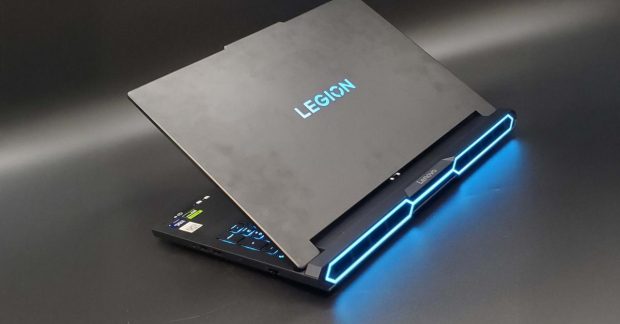
Choosing a gaming laptop: five key tips from PC Gamer
When it comes time to buy a gaming laptop, it’s easy to overpay for features that aren’t important or to miss critical specs that affect performance. The PC Gamer editorial team has identified five main factors to consider before making a purchase.
### Mobility and upgrade options
The main advantage of gaming laptops remains their mobility, but unlike desktop PCs, upgrading these devices is significantly limited. Usually, users are only allowed to increase the SSD capacity or add RAM. At the same time, the processor, graphics card, and screen have to be used for the entire service life.
### The ideal screen size for a gamer
For most users, the optimal choice is a laptop with a 16-inch screen. It harmoniously combines a fairly large display with convenient dimensions, making the device versatile for gaming, work, study, or travel.
This size allows you to see fine details in the game world better and enjoy high resolution. Compared to 14-inch models, the image looks more spacious, which is especially important in games where it’s critical to quickly spot enemies against the background.
At the same time, compact laptops also have their advantages: they fit more easily into a backpack and are convenient for travel. However, compactness sometimes comes at the cost of reduced performance due to limited cooling systems. In addition, such models are often more expensive than their larger counterparts.
### Storage capacity: what you need to know
Another important aspect is SSD capacity. Many gaming laptops come with 1 TB drives or less. However, modern games can take up hundreds of gigabytes, so this space may quickly become insufficient.
The expert team recommends checking for a second NVMe SSD slot, which allows adding a second drive without replacing the main one. This will be useful for expanding storage or transferring data in the future. It’s important to remember that some even expensive models, such as the Asus ROG Zephyrus G14 or Razer Blade 14, have only one SSD slot.
### Graphics card vs processor: which is more important?
When choosing a laptop for gaming, remember that the graphics card often plays a more key role in frame rate and overall performance than the processor. Therefore, choosing a more powerful graphics adapter is often more beneficial, even if the processor in the configuration is slightly weaker.
You also can’t ignore the power consumption of the graphics card: for example, a GeForce RTX 5060 with a 45 W power limit may be inferior to a GeForce RTX 5050 running at 100 W.
### RAM amount and configuration
Another feature of many gaming laptops is the use of only one RAM stick, which prevents dual-channel mode and can affect performance.
In dual-channel mode, the processor gets higher memory bandwidth, which in some applications and games provides a significant performance boost. It’s recommended to choose models with a dual-channel memory configuration, such as 16 GB (2 × 8 GB), to avoid performance degradation due to RAM limitations.
### Choosing a screen and resolution
It’s worth remembering that even the best graphics card can’t unlock the screen’s potential if it can’t handle high resolution and sufficient frame rates. Overpaying for a display with resolution that the GPU can’t deliver doesn’t make sense.
Experts recommend opting for Full HD resolution (1920×1080) for laptops with RTX 5060 and weaker graphics cards. For devices with RTX 5070 and above, consider screens around 2560×1440 pixels. 4K resolution screens are currently not considered the best choice for gaming laptops, as mobile graphics cards are very limited by power consumption and thermal management, and running games at 4K requires upscaling technologies (DLSS) and doesn’t always justify the additional costs.
—
Previously, 8 channel told how to clean the fan without disassembling the laptop – this procedure is recommended every 3-6 months. 8 channel also reported which laptop brand is considered the most reliable and can last 10 years or more.

